

Ever wonder if your coffee order could be more than just a quick pick-me-up? Picture your favorite brew chatting with a smart register like old pals. Imagine coffee machines that send real-time updates about orders and supplies straight to the counter. This setup means quicker service and a friendlier vibe, even on the craziest mornings. In this post, we explore how these smart systems work in harmony, making your local shop feel a bit more magical and your coffee experience even smoother.
How POS software and smart coffee systems connect
Picture a bustling café where every second counts. The smart coffee machines and POS systems chat seamlessly, sharing important info like sales, stock levels, and even custom order details. While the POS system handles transactions and keeps track of inventory, the coffee machine sends live updates to the register, so that busy rushes feel a bit more manageable, and your coffee order lands on the table faster.
This dynamic duo works on real-time data, making sure that every order, whether a vanilla latte with extra foam or a quick espresso shot, is captured and processed without a hitch. When a coffee starts brewing or supplies begin to run low, a quick signal is sent across to keep everything in sync. It’s like the lively buzz of a café where every detail helps cut the wait and ensures a smoother, friendlier experience.
Key details shared between these systems include:
- Order specifics and any custom tweaks
- Current inventory counts
- Payment confirmations
- Updates on loyalty points
- Alerts on machine status
This tight integration means that changes like ingredient swaps or drink customizations flow directly from the machine to the register, speeding up the whole process. It even helps update inventory automatically and activates loyalty rewards so that every customer feels special. With this fast data exchange, café owners can quickly see how each machine is performing and keep everything running smoothly, even when it gets super busy.
Technical requirements for POS integration with smart coffee equipment
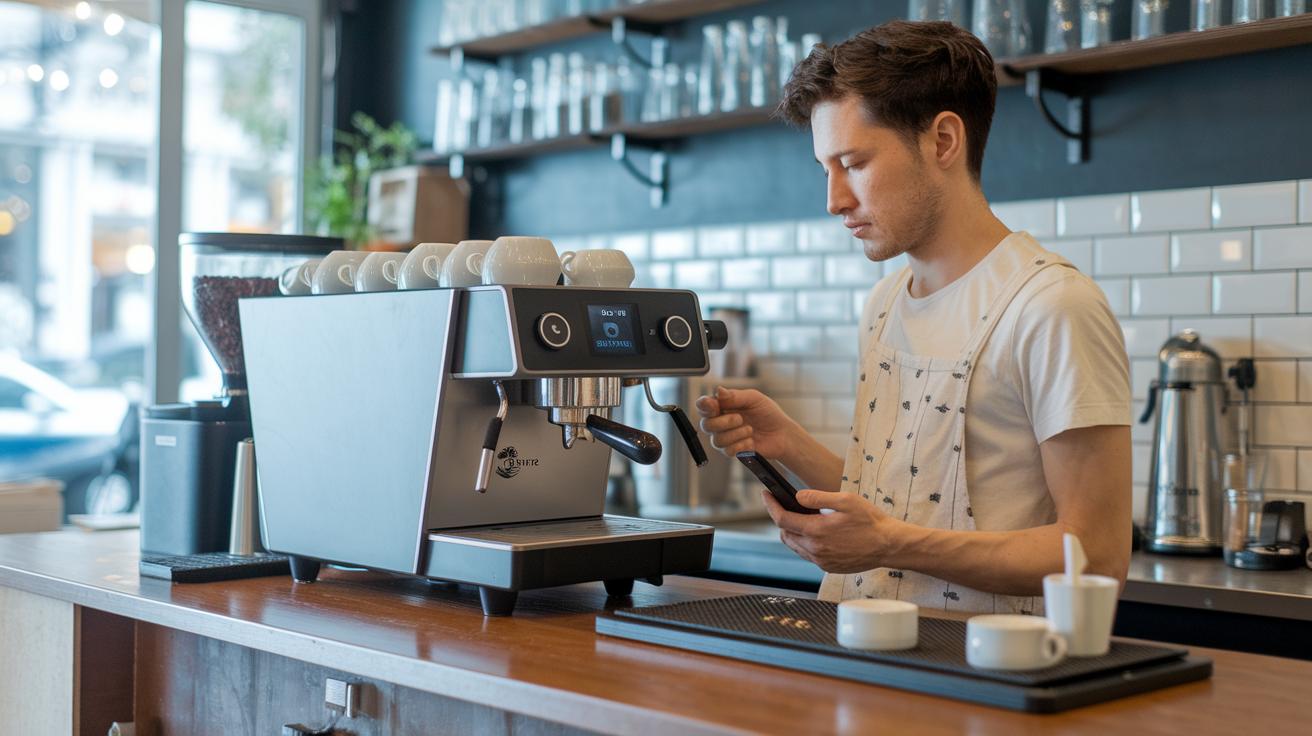
Connecting smart coffee machines with your point-of-sale system needs the right mix of hardware, network, and software. You want a POS interface that's easy to use and reacts in less than a second – a real lifesaver during a busy coffee rush. Plus, it should let you update drink options easily, like swapping out milk types or adjusting sizes right from the terminal. A dependable Wi-Fi or Ethernet connection is a must to keep communication steady, and the coffee machine’s firmware should match the POS API versions to avoid any glitches.
Getting everything to work together isn’t luck, it takes thoughtful setup and thorough testing. Automated links between your espresso equipment and register systems help ensure that order details, payment confirmations, and ingredient tracking all run smoothly. It’s really about making sure every part of the system speaks the same language, even when things are hectic. To set up this integration, follow these key steps:
- Verify network topology and secure VLAN for devices
- Obtain API keys and credentials from the POS provider
- Check firmware compatibility on coffee machine controllers
- Install SSL/TLS certificates for encrypted data exchange
- Configure POS menu entries to match machine recipes
- Perform end-to-end connectivity and transaction tests
Integration methods and API solutions for smart coffee systems and POS
APIs let smart coffee machines chat with cash registers, almost as if they're passing notes between friends. When a customer tweaks their drink, the change zooms from the machine straight to the checkout system. It's like the espresso machine softly saying, "Extra foam on the cappuccino!" This friendly back-and-forth keeps everything running smoothly.
Compared to protocols like MQTT or WebSocket, REST provides neat, structured information, think of it as writing a detailed letter. MQTT and WebSocket, on the other hand, are great for quick text-message-like updates. And then there are webhooks: they jump in after an event, letting the POS know when a payment clears or a drink is ready. Together, these methods make sure every order and payment, whether by credit, mobile wallet, contactless, or gift card, is tracked perfectly.
Following best practices is key. That means using OAuth to confirm who's talking, setting up clear callback endpoints, and handling errors robustly. Testing these systems during the busy rush, like at your favorite café, ensures they work well with kiosks and mobile apps. This kind of setup supports IoT-enabled espresso machines that keep your coffee orders flowing without a hitch.
How POS software and smart coffee systems connect

When you blend smart coffee systems with POS software, everyday tasks get much smoother. The systems can sign customers up for loyalty programs automatically and give you easy-to-understand sales numbers. Imagine a chart that shows you which drinks fly off the shelves and when your busiest times are coming up. This kind of insight lets you fine-tune orders and staffing without any extra hassle.
A cloud-based dashboard lets you keep an eye on machine performance and sales trends from anywhere. Managers can check live data and even adjust recipes while the day unfolds. It’s like having an extra set of hands for keeping everything running perfectly. For more on how sales analytics can transform your coffee business, check out the data-driven coffee brewing insights on our website.
Challenges and mitigation strategies in smart coffee–POS integration
One problem with smart coffee systems is that ingredient tracking can be too basic. Imagine a coffee machine that sends simple numbers but leaves out important details about each type of milk or syrup. This might result in sudden shortages or extra waste. It’s like realizing you’re out of your favorite blend just when you need it. It really shows how important it is to keep a close eye on every detail in your inventory.
Another hiccup appears when staff schedules and payroll don’t sync perfectly with the POS system. When these systems don’t chat well with each other, mistakes in employee hours or shifts can pop up. It’s a bit like mixing up your coffee beans, you just don’t get the right flavor. On top of that, network glitches can cause order delays, and strict rules for secure payment processing add extra pressure.
To fix these issues, setting up backup network paths is a must. Think of it like having an extra hose ready, so if one stops working, the other carries on. With this safety net, your orders and inventory updates can reach the POS system without missing a beat, even during busy times.
For security and smooth system syncing, using encrypted data flows is the way to go. This means your important information is locked away safe and sound, just like a well-kept secret recipe. Pair that with strong support agreements with your vendors, and you create a team that keeps everything, from scheduling and payroll to ingredient details, running together seamlessly.
Case studies of smart coffee system and POS software integration

Square POS, which is free, has been a game changer for local cafés. One neighborhood coffee spot set up its smart brewers so that order details and stock levels automatically flowed into the sales system. This clever connection helped speed up service by about 15% while cutting down on wasted stock. It shows that even a free system can make a big difference when paired with smart coffee equipment.
Another café moved to Toast POS for a more restaurant-like feel. They hooked up their smart coffee systems directly to a kitchen display so online orders were handled smoothly and the workflow felt more organized. The connection shortened wait times and even led to a 20% drop in ingredient waste. It turns out that syncing touchscreen orders with smart coffee machines can really boost efficiency all around.
Yet another coffee shop mixed Clover POS with Lightspeed and Shopify systems. They used flexible, modular apps for marketing and accounting while their IoT-enabled espresso machines kept track of stock and sales data in real time. This setup improved order accuracy by around 15% and showed off the benefits of integration that adapts easily to different needs. The experience highlights how working well with a variety of devices makes for a smarter, smoother operation.
Final Words
In the action, the blog broke down how POS software partners with smart coffee systems to keep your orders flowing smoothly. It detailed how devices exchange order details, inventory levels, payments, and alerts. We explored technical steps, from network checks to firmware tweaks, and examined API methods that make it all click together. The piece also highlighted key benefits, like speedier service and data insights, along with ways to tackle common challenges. Integration of smart coffee systems with POS software brings a reliable, consistent brew that keeps things running just right.
FAQ
How do smart coffee systems and POS software connect?
The smart coffee systems communicate with POS software by exchanging key data such as order details, inventory levels, payment confirmations, loyalty updates, and machine status alerts in real time.
What technical components are needed for integrating smart coffee equipment with POS systems?
The integration requires secure network connections, updated firmware on coffee machines, valid API credentials, SSL/TLS certificates for encryption, and well-configured POS menu entries for smooth data exchange.
How do API solutions link coffee systems with POS software?
The API solutions use RESTful calls, MQTT protocols, and webhooks to route orders, update machine statuses, and process payments, ensuring that data flows quickly and securely between devices.
What benefits do smart coffee system integrations offer with POS software?
The integration boosts operational efficiency by tracking inventory in real time, speeding up order processing, providing detailed sales analytics, engaging loyalty programs, and enabling remote machine management.
What challenges arise in integrating smart coffee systems with POS software and how can they be overcome?
Common issues include network delays, data mismatches, and compliance concerns. Overcoming these involves secure, redundant networks, firmware audits, encrypted data transfers, and dedicated vendor support.